

Summary:
Knowva has revamped its app navigation to enhance user experience, making it more intuitive and accessible for learners. Key features like Knowva Reads and Knowva Videos have been relocated to a side menu, while new additions like the 'Let's Go!' category menu and a search function streamline content discovery. The app also introduces a tab system in the Countries category for tailored learning experiences and rebrands the Favourites feature as 'Faves.' These updates, alongside behind-the-scenes improvements, aim to make learning more engaging and efficient.
Enhanced Navigation for a Seamless Experience
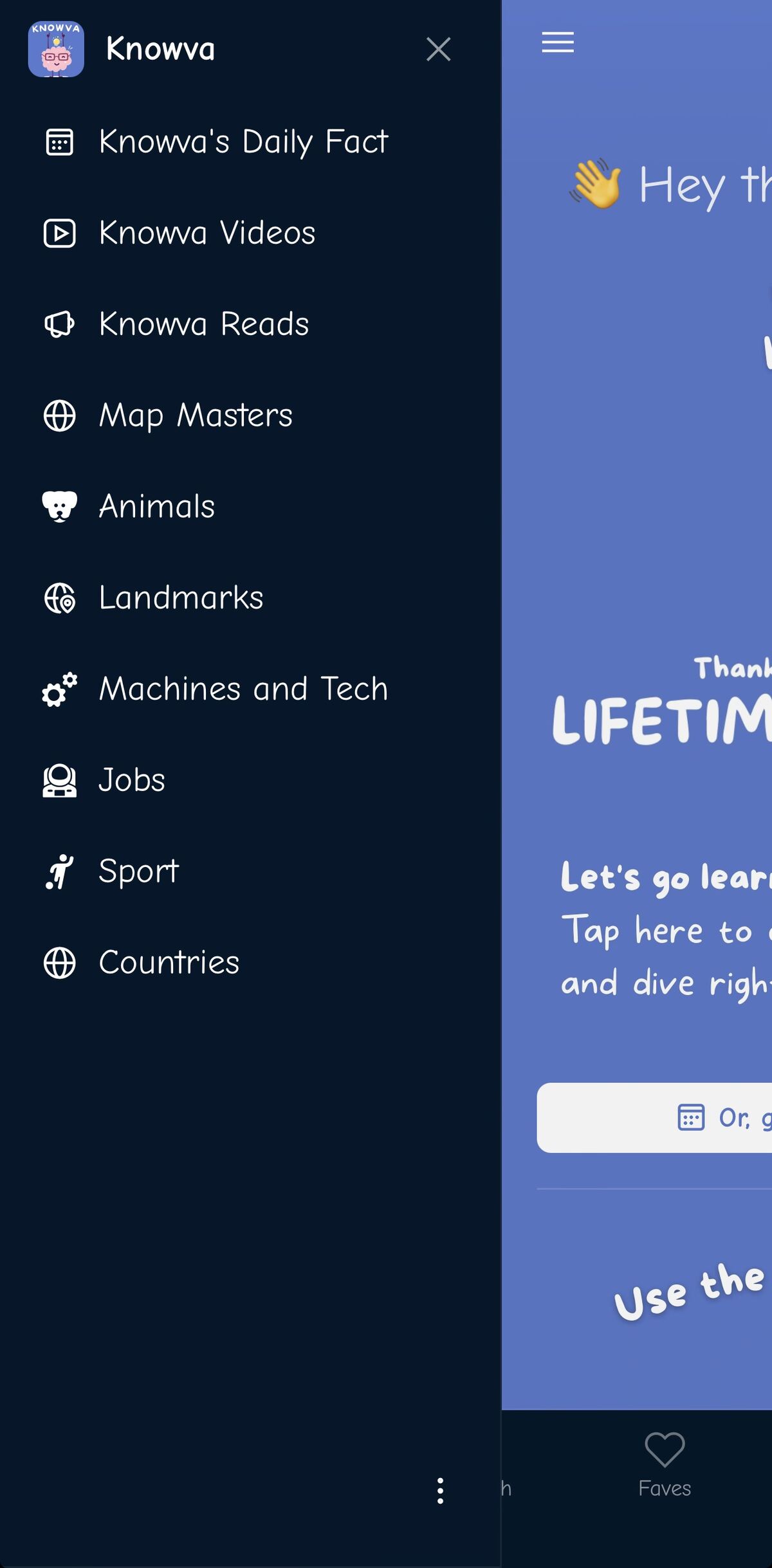
Navigating through the Knowva app has just become even more intuitive for your curious kids!
We've relocated some of your favourite features to make them easier to find and use. The Knowva Reads and Knowva Videos pages have moved to the side menu, right next to Knowva's Daily Fact. This change ensures that these resources are always within reach, whether you're on mobile or desktop. Learners will still be able to see the videos and hear the read-alongs right on the article page though - it's just the 'show all' screen that's moved.
Map Masters - our free sneak peek at our sister project - has also found a new home in the side menu. On mobile devices, you can access it through the hamburger menu, while on tablets and desktops, a simple tap or click on the side menu panel will do the trick.
New Features in the Main Menu
We've introduced two exciting features to the main menu, designed to enhance your learning journey. The main menu is conveniently located at the bottom of mobile screens or at the top of the slide-out menu on larger devices.
Let's Go!
The 'Let's Go!' feature is a picture-driven category menu that allows learners to dive straight into their topics of interest. This visual approach helps users get to their learning faster, reducing the time spent searching for content.
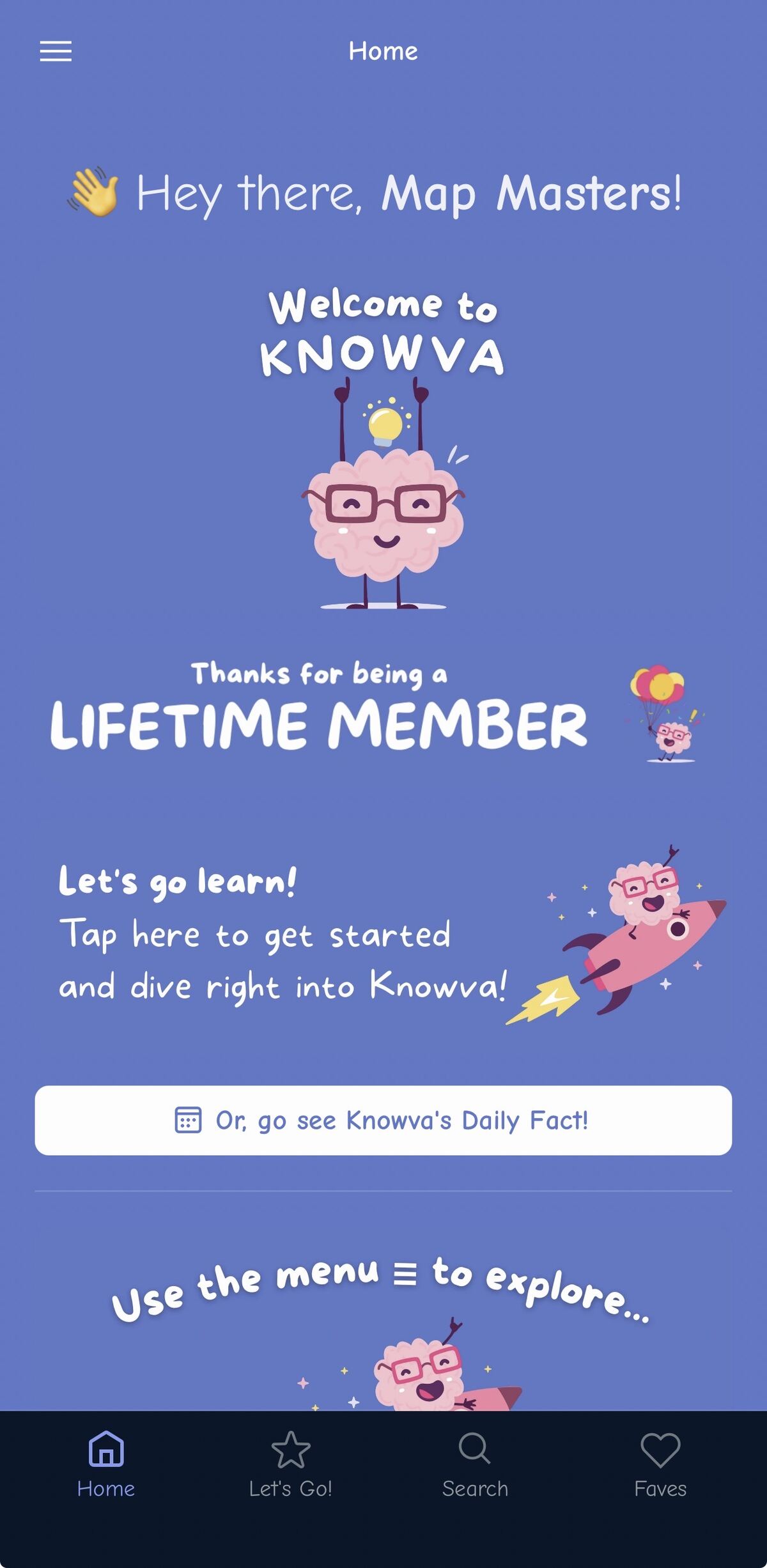
We've also updated the homepage with a direct link to the 'Let's Go' page. This change reduces barriers for learners, allowing them to start their educational journey with ease.
Search
Our new 'Search' feature lets users pick a category and then search for any article within the app.
This makes finding specific information a breeze, ensuring you spend more time learning and less time looking!
Faves: A New Name for an Old Favourite
We've kept the Favourites feature in the main menu, but it's now called 'Faves'. This change was made to ensure it fits better on various devices, maintaining its accessibility and ease of use.
Tabs in the Countries Category
We've introduced a tab system in the Countries category, making it easier to navigate between Full Articles and Mini Articles. The Full Articles provide an in-depth look at each country, covering culture, food, nature, and landmarks. Meanwhile, the Mini Articles offer quick facts like location, population, capital city, and languages, perfect for early readers seeking quick answers.
This tab system allows learners to choose the level of detail that suits them, all within the safe space of Knowva - you can learn all about this recent update here!
Behind the Scenes Improvements
This update isn't just about visible changes. We've made significant behind-the-scenes improvements to ensure that using the app is even easier in the future. These enhancements pave the way for a more efficient and enjoyable learning experience as we continue to build Knowva.
We hope you enjoy exploring these changes and look forward to hearing your feedback. Happy learning!
Ready to explore more topics like this?
Knowva helps children safely explore topics like this. Try it free and see how it supports calm, confident learning.
Try It Free